If you sell wooden decor, branded gifts, or display pieces, choosing between laser cut wood vs CNC routing directly affects your margins, lead times, and product quality.
Both tools are computer-controlled, both can produce beautiful work, and both sound similar when suppliers describe them — and both are being shaped by broader shifts in the CNC & Laser Industry, such as AI integration and reshoring trends. But they behave very differently on wood — especially when you care about intricate detail, thick stock, or consistent finishes across large wholesale orders.
This guide walks you through how each method works, where each shines, and when it makes sense to combine them for your product line so you can match the right process to each SKU.
Key Takeaways
- Laser cutting excels at intricate designs with 0.1mm precision for thin materials, up to 12mm thick. CNC handles thicker wood materials effectively.
- Laser cutting produces cleaner edges requiring minimal finishing. CNC routing typically needs extensive sanding and post-processing.
- CNC routing offers deeper cuts and works better with solid hardwoods. Laser cutting is ideal for plywood and veneers.
- Laser cutting combines cutting and engraving capabilities with minimal waste. However, CNC offers greater versatility for large-format projects.
- Laser cutting offers faster setup and production for small batches. CNC routing excels in high-volume production once configured.
How Laser Cutting and CNC Routing Work
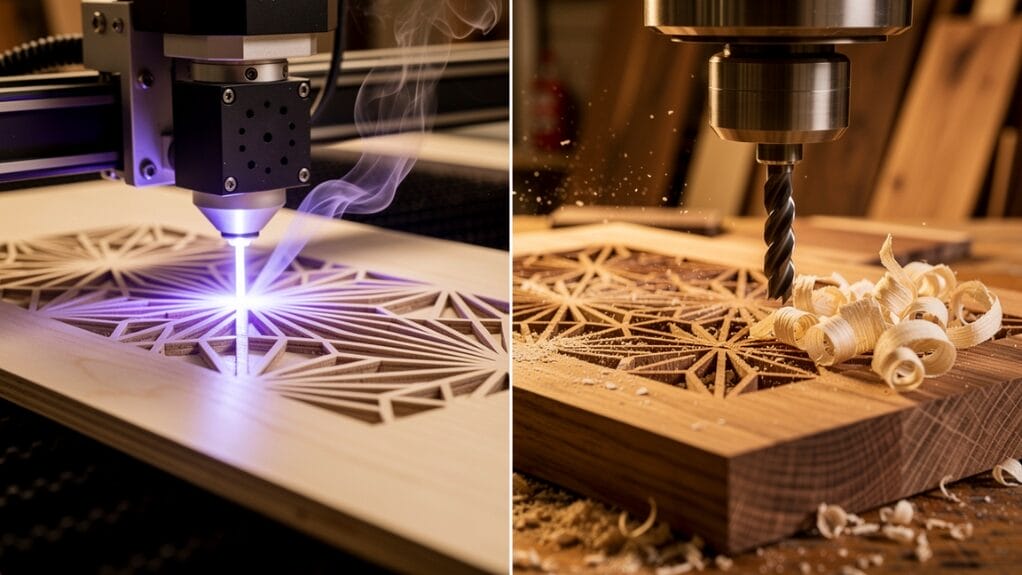
At a high level, both machines start from a digital design and follow computer-generated toolpaths. The difference is how they touch the material: one uses focused light; the other uses a spinning bit.
How Laser Cutting Works
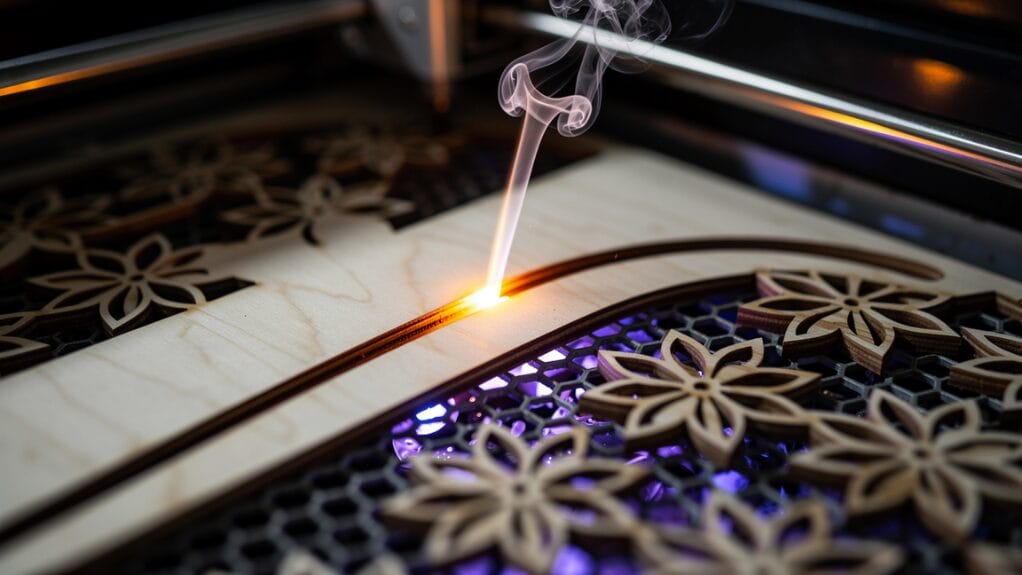
A laser cutter is a non-contact machine. Instead of a blade or bit, it uses a high‑energy beam of light to burn or vaporize wood along a programmed path.
Here’s what that means for your products:
- The beam can be focused down to around 0.1 mm, so you get extremely fine details and sharp inside corners.
- Depth is controlled by power and speed, not by driving a tool up and down. Lower power and faster speed engrave the surface; higher power and slower speed cut through thin sheets.
- Because nothing physically pushes on the wood, thin veneers and delicate parts stay flat without heavy clamping.
- The cut turns material into smoke and fumes, so a good fume extraction system is essential for a clean, safe shop.
Designs are usually created as vector files (such as SVG, DXF, or AI), which makes it easy to scale or revise artwork without starting from scratch.
For you, laser cutting machine is ideal when you need precise 2D shapes and surface engraving with consistent results over many identical pieces. If you outsource laser cutting, you’ll often see clear pricing based on material, thickness, and run size because the process is so repeatable.
“The more repeatable your process, the easier it is to grow a product line.” — common advice in production woodshops
How CNC Routing Works
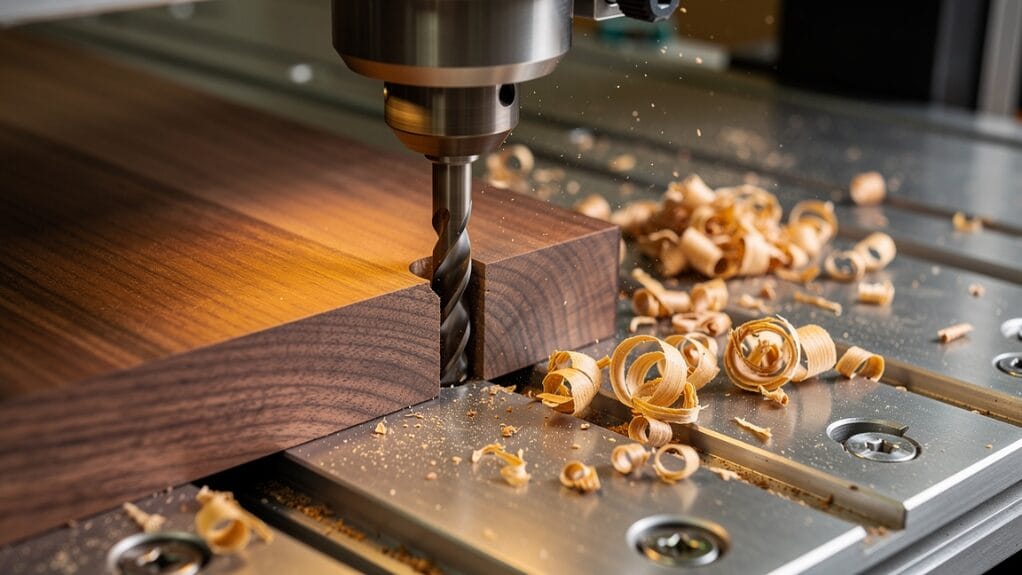
A CNC (Computer Numerical Control) router is a contact machine. It uses a spinning bit (similar to a drill, but cutting on the sides) to physically carve wood or metal.
Key points for your planning:
- The bit moves in X, Y, and Z, so it can change depth and carve pockets, contours, and full 3D shapes.
- Because the bit pushes and pulls on the material, you need solid clamping or vacuum hold-down to stop parts from shifting.
- Routing creates chips and dust instead of fumes, so you’ll want dust collection rather than fume extraction.
- Internal corners are limited by the radius of the tool, so you can’t get razor-sharp inside points without hand work.
- Different bit types (straight, compression, ball‑nose) let you balance cut quality, machining speed, and tool life.
For you, CNC cutting is the better fit when you need thick, structural components, deep carving, or precise depth pockets — for example, furniture parts, serving boards with recesses, or 3D signage. CNC routing is also common for panel processing, cabinet parts, and other work where consistent joinery matters.
Laser Cut Wood vs CNC: Precision, Detail, and Edge Quality
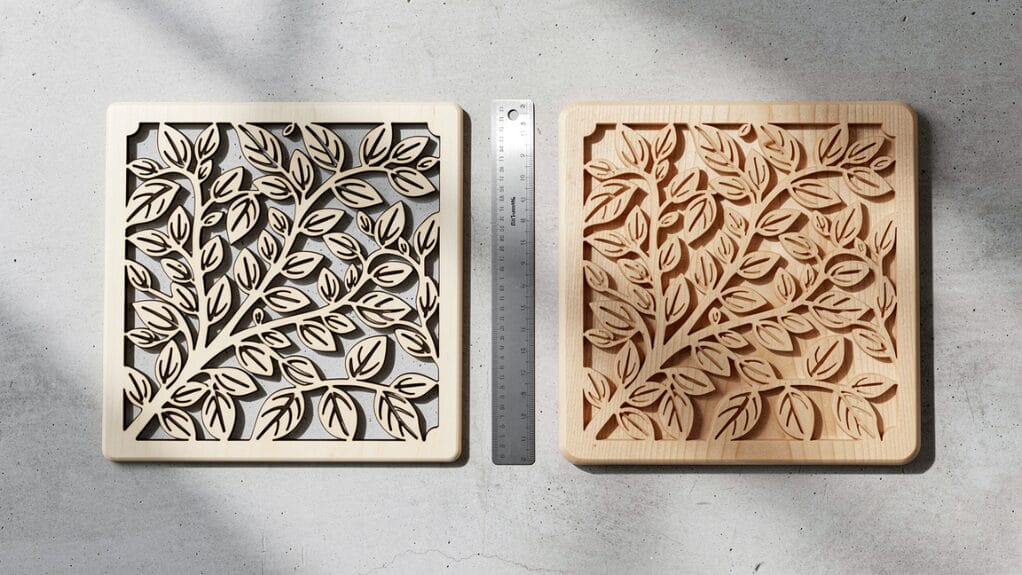
When you compare laser cut wood vs CNC side by side, three factors matter most for visual quality:
- how fine the cut line is (kerf)
- whether corners can be perfectly sharp
- what the edge looks like out of the machine
Precision and Kerf Compared
For small decor pieces, inlays, or jewelry, kerf and corner radius affect fit and how “crisp” a design looks.
| Feature | Laser Cutting | CNC Routing |
|---|---|---|
| Kerf (cut width) | ~0.1 mm | ~0.5–3 mm (depends on bit diameter) |
| Minimum slot width | As narrow as ~0.1 mm | Limited by smallest practical bit size |
| Internal corners | Essentially sharp | Always slightly rounded |
| Small text/details | Very clean at small sizes | Limited by bit strength and size |
Because the laser beam is so narrow, you can:
- nest parts tightly and reduce waste
- cut interlocking parts that fit snugly straight off the bed
- engrave ultra‑fine lines, logos, and maps
In production, this often means laser shops quote tighter tolerances on small parts, while CNC shops focus on overall dimensional accuracy for larger components and assemblies.
A CNC router can still achieve good accuracy, but anything that needs sharp internal corners (fine typography, filigree patterns, lace‑like cutouts) favors laser cutting tools.
Surface Finish and Edge Appearance

The edge your customer sees or feels is just as important as the shape.
Laser cutting:
- Leaves a dark, sealed edge where the beam burned through the wood.
- Produces a very smooth, consistent edge with almost no fiber tear-out.
- Often needs no sanding; you may only wipe off light smoke marks from the surface.
Many brands lean into this dark outline as a design feature — it frames cut patterns and engraved graphics nicely on coasters, ornaments, and table numbers. Wiping edges with a damp cloth before finishing often removes any remaining soot.
CNC routing:
- Keeps the natural wood color on the edge with no charring.
- Can cause tear-out on some grains, especially on plywood or softer woods.
- Usually needs manual sanding or tumbling before the pieces are ready to ship.
If you want a natural, unfinished edge (for example, on premium hardwood serving boards), CNC routing gives you that look, but you should plan for more post‑processing time in your cost calculations.
Material, Thickness, and Design Possibilities
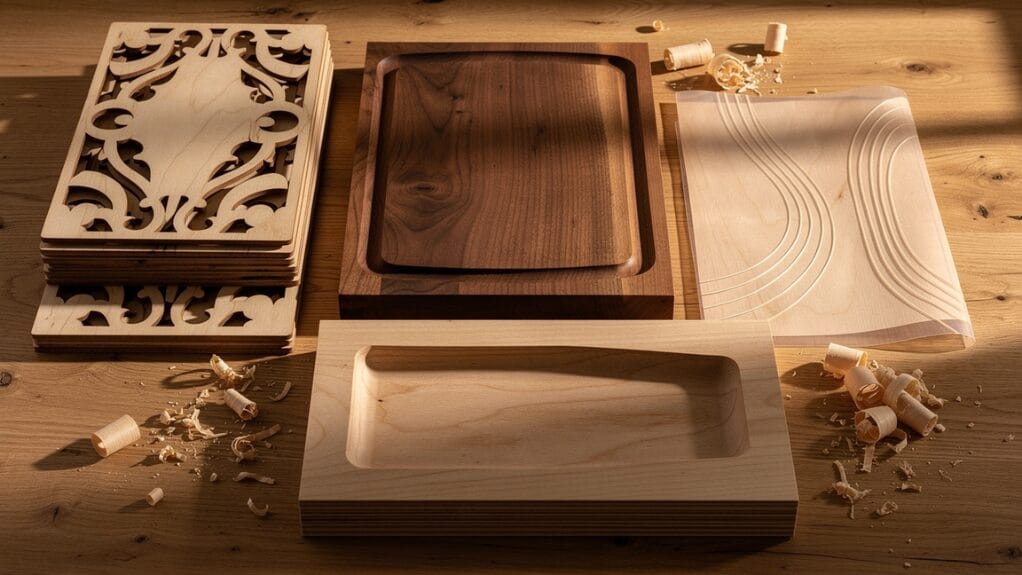
Your choice between laser cut wood vs CNC also depends heavily on:
- how thick your stock is
- whether you need 2D profiles or 3D shapes
- the specific wood products you sell
Best Wood Types for Laser Cutting
Laser cutters are at their best on thin to medium sheet goods:
- Plywood – very stable; great for intricate patterns up to about 1/4–1/2 inch (6–12 mm), depending on laser power.
- MDF – consistent density; cuts cleanly from 1/8 – 5/8 inch (3–15 mm); excellent for detailed engraved signs.
- Veneers – perfect for fine inlay work, marquetry, and layered art under 1/8 inch (3 mm).
- Solid softwoods like basswood or alder – good for ornaments, craft pieces, and light signage.
In practice, most commercial wood lasers work most efficiently between 3–12 mm thickness. You can cut thicker, but it gets slower, edges char more, and the cut can bevel slightly.
For product lines like:
- flat‑pack decor
- wall art and maps
- menu boards and small plaques
- layered ornaments
laser cutting gives you that tight detail and repeatability buyers expect.
What CNC Routers Handle Better
CNC routers step in when material gets thicker or when parts need depth and structure.
They’re ideal for:
- Solid hardwoods and thick panels several inches deep
- Furniture components (legs, rails, panels)
- Deep trays, bowls, and pockets
- Large-dimensional signage with raised or recessed lettering
Because the bit moves along the Z‑axis, a CNC router can:
- carve 3D contours (for example, a shaped chair seat)
- mill precise pockets for hardware or inlays
- bevel or round over edges in the same setup
Expect more material waste compared with a laser, but also the ability to turn heavy stock into high‑value, structural items that support a higher price point. Baltic birch plywood, solid oak, walnut, and other hardwoods are common choices for this kind of work.
Veneered and Laminated Boards
Veneered and laminated panels behave differently under heat and mechanical cutting:
- Laser cutting works well on thinner veneered boards. You get sealed edges and very clean detail, but the glue layers can darken or scorch at the cut line.
- CNC routing is safer for thicker laminates (roughly 1/8–3/4 inch). It avoids burns, but you’ll want sharp bits and tuned feeds to reduce chipping at the veneer.
In both cases, pay attention to:
- Fume extraction when cutting glued products (lasers can release strong fumes from resins).
- Chip collection on CNC machines to protect finishes and keep your shop clean.
- Safety data for adhesives and finishes — ask your material supplier for documentation if you plan to process large volumes.
Production Speed, Workflow, and Scalability
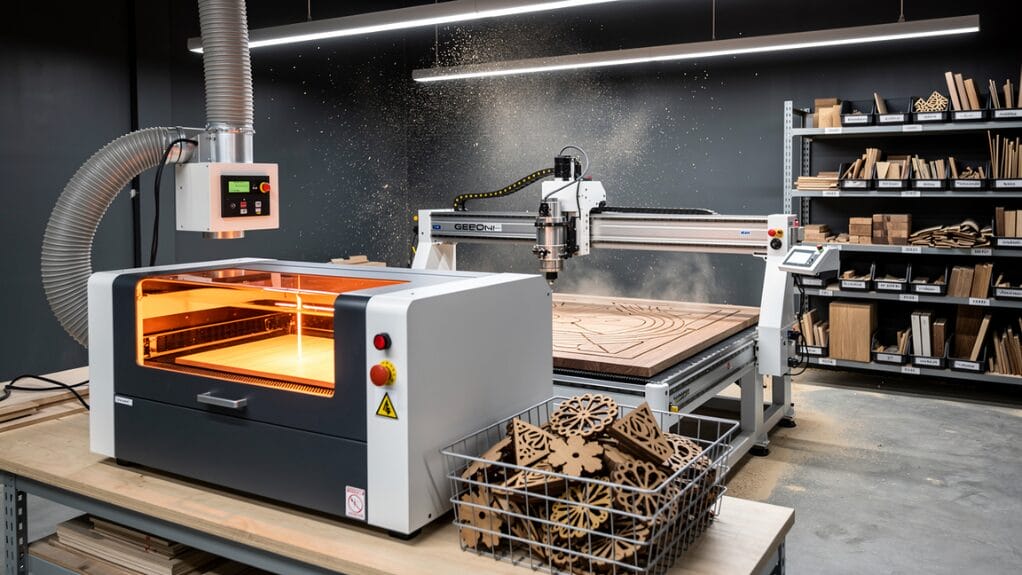
For wholesale buyers and retail brands, time is money — and according to the Laser Processing Market Size research, the laser processing sector is projected to grow by USD 2.33 billion from 2023 to 2028, reflecting strong demand for faster, scalable production methods. It’s not just how fast a machine cuts; it’s how many steps it takes to go from file to finished, shippable product.
Low-Volume vs. High-Volume Runs
Laser cutting:
- Shines on short runs and frequent design changes.
- Has minimal setup: lay the sheet down, focus, and start.
- Cuts thin wood at high speed and often finishes parts in a single pass.
- Requires very little post‑processing.
If you test new designs often, sell seasonal decor, or run made‑to‑order items, a laser helps keep turnaround times short.
CNC routing:
- Takes longer upfront: you choose bits, set toolpaths, clamp stock, and test feeds.
- Once dialed in, a CNC router is very efficient for large, repeat batches of the same item, especially in thicker materials.
- Cut speeds on thick stock can beat lasers, and the machine can run long jobs unattended once set up properly.
For a stable product line — for example, the same table base or serving board profile in every order — CNC routing can be faster per part at scale.
Workflow, Nesting, and Setup Labor
Laser cutters:
- Excel at tight nesting thanks to their narrow kerf; you get more pieces from each sheet.
- Don’t need heavy clamping, which saves labor and avoids clamp shadow areas.
- Are generally quieter, with most noise coming from fans and exhaust.
CNC routers:
- Need tool changes when you switch from profiling to pocketing, or from a roughing bit to a finer finishing bit.
- Depend on fixturing — clamps, screws, or vacuum — which takes operator time.
- Generate more noise and require hearing protection and dust collection.
When you factor in labor, lasers often win on small or medium batches with complex outlines, while CNC routing pays off for heavy cutting on stable, high‑volume SKUs.
When you estimate throughput, look at the whole process:
- Design and programming time
- Setup and fixturing time
- Machine cutting time
- Cleaning, sanding, and finishing
“Measure the cost of a process over the entire product life, not just at the machine.” — common advice in manufacturing and operations
CNC vs. Laser Cut Wood: Sustainability, Waste, and Safety

If your brand cares about eco-friendly production and worker safety, you should look beyond just speed and price when comparing laser cut wood vs CNC.
Material Waste and Resource Use
Laser cutting:
- Has a very thin kerf, so less wood turns into scrap.
- Allows extremely tight nesting, increasing yield per sheet.
- Sealed edges and minimal sanding reduce the need for extra coatings and abrasives.
CNC routing:
- Cuts a wider path, so more wood becomes dust and chips.
- Often needs extra margin for clamping, which can raise offcut waste.
- Post‑sanding adds abrasives and extra labor.
Neither machine is inherently “green,” but lasers generally give you better material efficiency , especially on sheet materials and intricate layouts.
Fumes, Dust, and Safety
With lasers, you manage fumes; with CNC, you manage dust.
- Laser cutting turns wood and adhesives into smoke and gases. A proper fume extraction or filtration system is non‑negotiable for a healthy workspace.
- CNC routing throws out chips and fine dust that can irritate lungs and coat your shop. Strong dust collection and filtration keep this under control.
On the physical safety side:
- CNC routers have exposed, fast‑spinning tools and moving gantries, so operators need eye and hearing protection and must avoid loose clothing.
- Many laser cutters are enclosed, reducing the risk of accidental contact, but the laser beam can damage eyes if safety procedures aren’t followed, especially on open‑frame machines.
If you emphasize safe, responsible production in your brand messaging, choosing shops that invest in proper extraction, filtration, and dust control matters as much as the machine type itself.
When to Choose Laser Cut Wood vs CNC for Your Products

For many businesses, the right answer isn’t “laser or CNC” — it’s knowing when to lean on each method. A quick way to decide is to look at thickness, level of detail, whether the part is 2D or 3D, and the size of each production run.
Choose Laser Cutting When…
You want:
- Intricate patterns and small text that stay readable at gift‑box or jewelry scale.
- Flat parts and layered designs: ornaments, wall art, map layers, menu boards, and drink tokens.
- High-detail engraving for logos, QR codes, or personalization.
- Tight inlays with minimal gaps in marquetry and decorative panels.
- Fast design changes for seasonal or customized runs.
Typical products:
- Fine wooden jewelry and charms
- Branded custom wooden gifts and corporate giveaways
- Restaurant table numbers, bar signs, and menu boards
- Layered city maps, name signs, subscription box inserts, and home‑decor plaques
Choose CNC Routing When…
You need:
- Thick, structural wood parts that a laser can’t cut in a practical time.
- True 3D carving — trays, bowls, contoured panels, and sculpted signage.
- Precise depth pockets for hardware, electronics, or inlaid elements.
- A natural, unburned edge that will be oiled, stained, or left raw.
Typical products:
- Furniture components and cabinet doors
- Thick cutting boards and serving platters with juice grooves or recesses
- 3D name signs carved from solid blocks
- Tooling boards, molds, fixtures, and slab tables with profiled edges
When It Makes Sense to Combine Both
For many wholesale lines, a hybrid workflow gives you the best balance of cost, detail, and strength:
- Use a CNC router to cut the main form and any deep pockets from solid wood.
- Then move the part to a laser for fine engraving, detailed borders, or delicate inlay pieces.
Examples:
- A CNC‑cut serving board with a laser‑engraved restaurant logo — a hybrid approach supported by research on automating product design and fabrication workflows within the furniture and woodworking industry.
- A chair base routed for strength with laser‑cut decorative panels added.
- CNC‑cut CNC‑cut sign blanks with laser‑cut and engraved letters applied on top.
This “right tool for the right step” approach lets you keep unit costs competitive while still offering the refined details your customers expect.
How Qlychee Crafts Can Support Your Product Line
Choosing between laser cut wood vs CNC is easier when you can see and feel finished samples.
At Qlychee Crafts, you can:
- Review a range of laser‑cut and CNC‑machined pieces to compare edge quality, weight, and finish.
- Mix and match production methods based on each SKU’s design, thickness, and target price.
- Build collections that feel consistent across categories — from small gifts to large decor — even when different machines are involved.
Browse our various collections of wooden crafts to discover pieces that fit your brand. For any customizations or bulk orders, contact us for a personalized quote.
FAQs
Is a CNC Router or Laser Cutter Better for Woodworking?
It depends on your products:
- Choose a laser cutter for thin materials, detailed engraving, sharp inside corners, and clean edges that need almost no sanding.
- Choose a CNC router for deeper cuts, furniture components, and thick hardwood parts that need precise depth control.
Many businesses use both: CNC for structure, laser for detail.
What Are the Disadvantages of Laser Cutting Wood?
Laser cutting has limits you should keep in mind:
- It struggles with very thick wood; multiple slow passes can cause extra charring.
- The process creates smoke and fumes, so you need proper extraction and filtration.
- Edges are darkened by heat, which is a benefit for some designs but not for every brand.
- Some materials (certain glues, finishes, or plastics in laminates) can emit harsh fumes and must be handled carefully.
Is Laser Cutting More Expensive than CNC Routing?
The machines themselves can cost more at higher power levels, but per‑part cost is often competitive:
- Laser cutting usually has lower labor costs because there’s less setup and almost no sanding.
- CNC routing may need more operator time for fixturing, bit changes, and post‑finishing, plus ongoing bit replacement.
For thin wood parts with fine detail, laser cutting often ends up more cost‑effective; for thick structural pieces, CNC routing is usually more economical.
Can a Laser CNC Machine Cut Wood?
Yes, a laser CNC machine can cut wood with high precision, often achieving cut lines around 0.1 mm wide. You get:
- very clean profiles for intricate designs
- sealed edges that help reduce splintering and movement
- excellent repeatability for large batches of small parts
The key is matching laser power and settings to the wood species and thickness you plan to use.